AI Workflows
Process Mapping Explained
process mapping explained. This playbook provides a clear, practical framework for mapping your marketing processes, enabling you to identify automation...
Quick Take
Built for founders, operators, and lean teams who want practical guidance instead of vague advice.
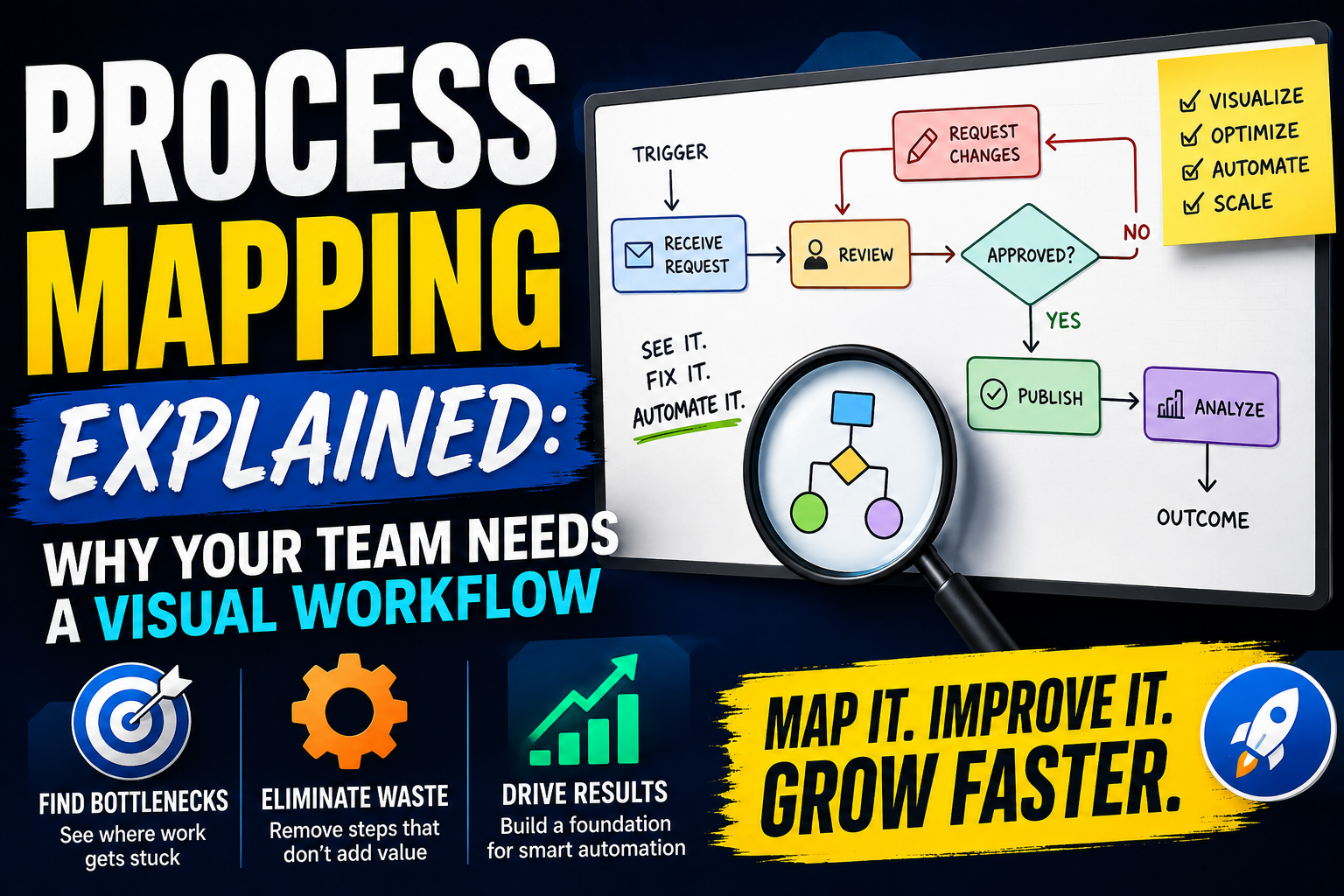
Process Mapping Explained: Why Your Team Needs a Visual Workflow
Every marketing team hits a wall. Workflows that once seemed manageable become tangled. Tasks fall through cracks. Handoffs between tools and people create delays. The common response is to throw automation at the problem. But automating a broken process only lets you break things faster. This is where process mapping explained as a discipline becomes your most practical tool. It gives you a visual diagram of how work actually gets done, from trigger to outcome. Without this map, you cannot identify which steps deserve automation and which need to be eliminated first. For small teams and operators, a clear map is the difference between scaling efficiently and scaling chaos.
This playbook covers why process mapping matters for growth teams, how to build a map from scratch, common mistakes that derail the effort, and the specific next actions that turn a diagram into real throughput gains. We will also show how process mapping explained through real examples helps you avoid wasted tool purchases and build a foundation for smart automation—a concept we regularly cover in our marketing automation framework.
Context: The Hidden Cost of Unmapped Workflows
Most marketing departments operate on tribal knowledge. The person who set up the email nurture sequence left six months ago. No one knows why the lead scoring rule exists. The social media calendar is a shared spreadsheet with three conflicting versions. Every operator has seen this movie.
When processes are unmapped, every new hire faces a learning curve built on guesswork. Bottlenecks stay invisible. Automation tools are purchased based on vendor demos rather than actual workflow needs. The result is tool sprawl, low adoption, and a team that spends more time managing systems than doing the work that drives revenue. A clear process mapping explained approach reveals these hidden costs. It surfaces redundant steps, approval loops that add no value, and manual data transfers that a simple integration could handle. More importantly, it forces the team to agree on how work should flow before deciding which tools to buy.
Strategy: The Three-Layer Mapping Framework
A useful process map does more than draw boxes and arrows. It captures three distinct layers of reality. This framework for process mapping explained in practice ensures you do not just document what you wish were true—you capture the full picture.
Layer One: The Ideal Flow
Start with how the process should work if everything went perfectly. No edge cases. No workarounds. This is your north star. For a content publishing workflow, the ideal flow might be: brief written, draft submitted, editor reviews, final approval, scheduled, published. Simple and clean.
Layer Two: The Actual Flow
Now document what really happens. Talk to the people doing the work. Watch them. You will discover that the draft gets sent back three times because the brief was unclear. That the editor also does final approval, creating a single point of failure. That scheduling happens in a different tool than publishing. The actual flow always has more steps, more loops, and more manual interventions. This layer is where process mapping explained becomes eye-opening for most teams.
Layer Three: The Automation Target
Once you see the gap between ideal and actual, you can identify which steps are ripe for automation. Look for repetitive manual actions, data transfers between systems, and status checks that eat time. These are your automation targets. But also look for steps that should be removed entirely. Automating a step that adds no value is waste.
Workflow: How to Build Your First Process Map
Mapping a process is itself a process. Follow these steps to create a map that your team can use. The process mapping explained here is designed to be actionable in a single working session.
Select One Process to Start
Do not try to map everything at once. Pick a single process that causes pain or takes too long. Common candidates for small marketing teams include: lead handoff from marketing to sales, content approval and publishing, email campaign setup and deployment, or social media content creation and scheduling. Choose one that affects multiple team members so the map has immediate value.
Gather the People Who Do the Work
Process mapping is not a solo desk exercise. You need the people who execute the steps every day. Hold a working session with no more than six people. Use a whiteboard or a collaborative tool like Miro or Mural. Start with the trigger: what event starts the process? For a lead handoff, the trigger is a lead reaching a certain score threshold.
Map the Steps in Sequence
Begin placing steps one after another. Use simple shapes: a rectangle for an action, a diamond for a decision, an arrow to show direction. Resist the urge to add detail at this stage. Just capture the order. The content approval map might look like: writer creates draft, sends to editor, editor reviews, editor sends back with changes, writer revises, writer resends, editor approves, scheduler publishes.
This is where the actual flow emerges. You will see loops. The draft might go back and forth four times. Mark each loop. Count the handoffs. Note which steps wait on someone else.
Document Time and Friction
For each step, add two pieces of data: the average time it takes and the friction level. Time can be hours or days. Friction is subjective but useful: rate each step as low, medium, or high based on how much effort it requires. A step that takes thirty seconds but requires logging into a separate system is high friction. A step that takes ten minutes inside one tool is lower friction.
Identify Automation Candidates
Look at your map and mark steps that meet three criteria: repetitive, rule-based, and high frequency. These are prime for automation. For example, if every lead handoff requires manually copying data from the CRM into a Slack channel, that is a candidate. If every content draft requires a manual check for brand terms, that is a candidate. If the step only happens once a month and requires judgment, leave it alone.
Implementation Steps: Turning the Map into Action
Your map is a diagnosis. Now you need a treatment plan. This process mapping explained phase is where the diagram becomes operational.
Classify Every Step
Go through your map and label each step as one of three types:
– Eliminate: Steps that add no value. A double approval from two people who always agree is waste. Remove it.
– Automate: Steps that are repetitive and rule-based. Set up a workflow in your existing tools before buying new ones.
– Optimize: Steps that require human judgment but can be made faster. Shorten review cycles, create templates, or set time limits.
Start with the Quick Wins
Look for steps that can be automated or eliminated in one day. A simple email notification triggered by a CRM event takes thirty minutes to set up. Removing a redundant approval step takes a conversation. Stack these small wins to build momentum. Show the team that process mapping leads to less busywork, not more documentation.
Map the Dependencies
Automation often reveals dependencies you did not see. If you automate the lead score calculation, but the sales team still manually checks a spreadsheet, you have only moved the bottleneck. Map the downstream effects of each change. The goal is end-to-end flow, not isolated speed.
Set a Cadence for Review
Processes drift. People find workarounds. Tools change. Schedule a quarterly review of your top three process maps. Ask the same people who built the map to update it. If the map no longer matches reality, it is worse than no map at all because it gives false confidence.
Mistakes to Avoid When Mapping Marketing Processes
Even with a solid process mapping explained framework, teams fall into common traps. Here are the biggest ones and how to avoid them.
Mapping Everything Before Changing Anything
Analysis paralysis is real. Some teams spend months building perfect diagrams and never execute a single change. Set a time limit for each mapping session. Two hours per process. The map does not need to be beautiful. It needs to be accurate enough to identify the biggest friction points.
Ignoring the Exceptions
Every process has edge cases. A lead that comes in through a partner channel. A content piece that needs legal review. If you ignore exceptions, your map will break under real conditions. Note the exceptions on the map but do not let them derail the main flow. Handle them as separate paths.
Buying Tools Before Mapping
The most expensive mistake. A team buys an automation platform hoping it will fix their workflow, only to discover the real issue is a missing step or a human decision point. Tool purchases should follow the map, not precede it. Your map tells you what you need. The tool is just the implementation.
Mapping in a Vacuum
A process map built by one person in isolation will miss half the steps. The person who does the work knows where the friction lives. The person who receives the output knows when it arrives late. Include both sides. For a lead handoff process, include someone from sales. For a content workflow, include someone from legal or product if they touch the process.
Treating the Map as Static
The day after you finish your map, it starts to become outdated. A new tool is added. A team member changes roles. A market shift alters the workflow. Do not frame the map as a one-time project. Treat it as a living document that you revisit every quarter. Version the file and note the date of the last update.
Measurable Next Actions for Your Team
The value of process mapping is not the diagram. It is the improvement you make as a result. Here are concrete actions to take in the next week.
Choose One Process and Map It This Week
Pick the process that causes the most friction in your team. Block two hours on a shared calendar. Invite three to five people who touch the process. Use a whiteboard or a simple digital tool. Draw the map from start to finish. Do not worry about perfection. Capture the steps as they exist today.
Identify Your Three Worst Bottlenecks
After the session, look at your map and pick the three steps that take the most time or cause the most rework. Write each one on a sticky note. For each bottleneck, identify one thing you can change this week. A shorter deadline. A template. A simple automation. Do not plan a six-month project. Pick a one-day change.
Classify Every Tool You Use
List every tool your marketing team uses. Next to each tool, write the process step it supports. If a tool does not map to any step on your diagram, question whether you need it. If a step needs three tools to complete, that is a candidate for consolidation or integration.
Measure Before and After
Pick one metric tied to the process you mapped. Time to complete. Number of handoffs. Error rate. Measure it for one week before you make changes. Then implement your fastest fix. Measure again for one week after. The difference is your proof that process mapping works. Use that evidence to justify mapping the next process.
Process mapping explained here is not a theoretical exercise. It is the most practical thing a growth team can do to improve speed, reduce wasted effort, and create a foundation for automation. The map itself is just paper or pixels. The clarity it brings to your daily work is the real output.
Keep Reading
Related stories from the same editorial lane

AI Workflows
Small Business AI Marketing Playbook: Automate, Don’t Dehumanize
Learn how to build an AI marketing system for your small business that saves time and keeps your outreach personal. A practical 5-step playbook with real examples and mistakes to avoid.

AI Workflows
Founder’s Playbook: AI Workflows That Scale
Founders: Get a step-by-step framework to design AI workflows that scale, automate busywork, and free up time. No hype—just practical steps.