Productivity
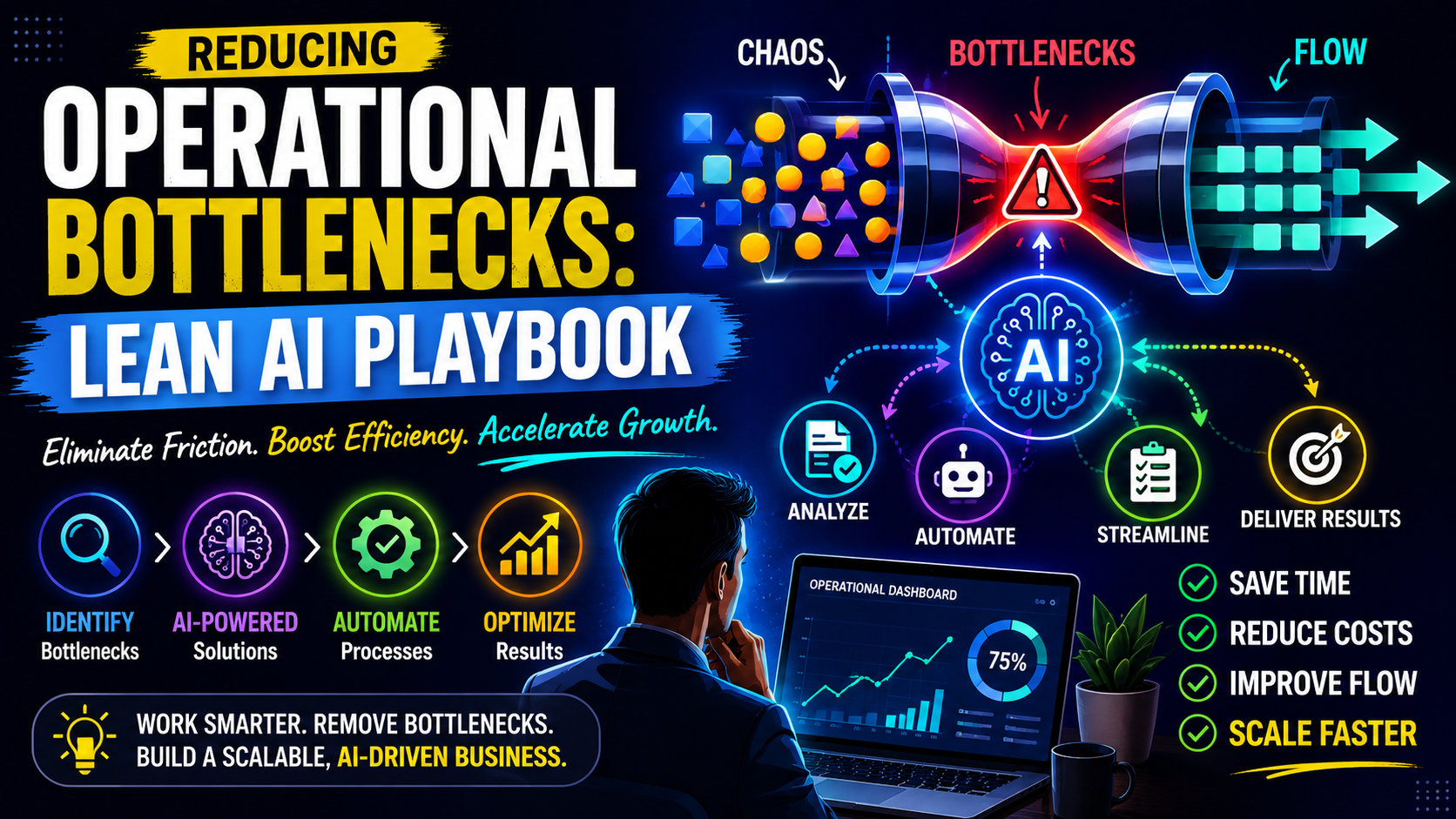
Reducing Operational Bottlenecks: Lean AI Playbook
Stop slow workflows killing your growth. This playbook shows small teams how to diagnose, prioritize, and automate bottlenecks with lean AI workflows. No fluff, just steps.
Quick Take
Built for founders, operators, and lean teams who want practical guidance instead of vague advice.
Why Operational Bottlenecks Are a Growth Killer
An operational bottleneck is any step in your workflow where work has to wait. It could be a manually approved invoice that sits for three days, a customer query that bounces between two team members before it reaches the right person, or a content review process that requires three sign-offs for a single paragraph. These waiting points multiply across every project, eating hours each week and quietly eroding team morale. For a small team, the cost is not just time—it is the lost capacity to take on new work, test new ideas, or simply finish the day without feeling behind. That is why reducing operational bottlenecks should be the top priority for any lean operation.
Traditional process improvement—Six Sigma, Lean, Kaizen—was built for large organisations with dedicated improvement teams. Small teams cannot afford weeks of mapping and analysis. They need a faster, lighter approach that still delivers measurable change. That is where lean AI workflows come in. Instead of redesigning the entire process from scratch, you identify the single step that causes the longest delay, then apply automation to that step only. The goal is not to eliminate all human work but to eliminate the handoff delays that strangle throughput.
The AI Playbook – Diagnose, Prioritize, Automate
This four-step framework works in a single sprint. Complete all steps—diagnosis, prioritisation, automation design, and measurement—within two weeks. Each step builds on the last, so resist the urge to jump straight to tool selection.
Step 1 – Map the bottleneck
You cannot fix what you cannot see. Start by collecting three data sources: time logs, a simple process audit, and team feedback. For one week, ask every team member to note tasks where they wait on someone or something. Use a shared spreadsheet or a lightweight tool like Toggl. Simultaneously, map the steps of a single core workflow (e.g., client onboarding, invoice approval, support ticket handling). Draw each step and the handoff between people or systems. The bottleneck will appear where work piles up before a handoff. If you need help getting started, check out our guide on How to Run a Time Audit for Your Small Team.
Team feedback is especially revealing. Ask: “If you could remove one waiting step from your day, what would it be?” The answer is often unanimous. That step is your target.
Step 2 – Prioritize by impact vs. effort
Not all bottlenecks are worth automating. Create a simple 2×2 matrix: on one axis is the impact (time saved per week, frustration reduced, error rate lowered), on the other is the effort to implement (cost, complexity, change management). Score each bottleneck from 1 to 5 on both axes. Prioritise those in the high-impact, low-effort quadrant. These are quick wins that build confidence and free up time for harder problems.
For example, a 10-person agency might find that invoice approval takes an average of 2.5 hours per invoice because it requires a manual email thread with three people. The effort to automate that handoff is moderate (one afternoon to set up a simple approval bot), but the weekly saving is over 10 hours across the team. That is a clear high-impact, low-effort candidate for reducing operational bottlenecks.
Step 3 – Design the lean AI workflow
Automate the handoff, not the thinking. The most common mistake is trying to replace human judgment with AI. Instead, look for repetitive, rule-based steps that act as gatekeepers: routing an email to the right department, sending a reminder after three days of no action, checking that all required fields are filled before an order can proceed. These steps are prime for automation because they involve no subjective decision-making.
Design the new workflow by first removing unnecessary steps from the manual process. Lean AI works best when the underlying process is already clean. If the process has redundant approvals or unclear ownership, simplify it first. Then insert a single automation at the point where work pauses. For instance, instead of having a team member manually forward a support ticket to the right specialist, use an AI triage bot that reads the first message and routes it based on keyword plus urgency signals. The human still solves the problem; the machine just shortens the queue.
Step 4 – Test, measure, iterate
Before rolling out widely, run a two-week test on a subset of work. Measure three metrics: cycle time (total time from initiation to completion), error rate (how often the automation misrouted or missed a case), and handoff delay (time between completion of one step and start of the next). If handoff delay drops but error rate rises, adjust the rules or add a human-in-the-loop check. The goal is to minimise delay without introducing new failure points.
Iteration is critical. Most automation setups need two or three rounds of tuning before they match the reliability of a manual handoff. Track the metrics weekly and treat the bot as an evolving tool, not a one-time fix.
Concrete Examples from Real Small Teams
These examples are based on common patterns observed in small businesses. Specific names and numbers are illustrative—your mileage will vary.
Example A – Automating invoice approval for a 10-person agency
The agency’s finance process required a project manager to email each invoice to a client, then get a verbal nod from the account director, then send it to the finance manager for payment. The handoff between the first email and the director’s approval often stretched to three days. The team built a simple automation: a shared folder where invoices are dropped. An AI bot reads the invoice, checks it against a short list of rules (e.g., amount under $5,000, correct client code), and routes it to either the director (if rules flag it) or directly to finance for payment. Human approval is still required for exceptions, but 70% of invoices now skip the three-day wait. Cycle time dropped from an average of 4.5 days to 1.2 days.
Example B – Reducing customer support ticket escalation time with a triage bot
A bootstrapped SaaS team of 15 people received 200 support tickets per week. Tickets requiring technical help were often misrouted to the billing team first, then forwarded, adding a 12-hour delay. They introduced a triage bot that scans the ticket subject line and body for keywords like “error,” “not working,” “login,” and “billing,” and assigns a priority and department based on rules. The bot also checks if the customer’s plan includes priority support. The result: first assignment time dropped from 6 hours to 12 minutes. The trade-off was that some complex tickets were misrouted (4% error rate), but the team quickly added a manual override button and trained the bot weekly. The net gain was a 40% reduction in total resolution time.
Trade-offs: When AI adds latency instead of removing it
Not every bottleneck benefits from automation. If a process involves frequent exceptions or requires nuanced human context, forcing an AI into the handoff can add more delays than it removes. For example, a triage bot that requires the user to fill out a structured form before it can route a ticket may slow down customers who just want to type freely. Similarly, an invoice approval bot that demands too many conditional rules may cause approval to hang while the bot tries to decide. The rule of thumb: if the manual handoff already takes less than 15 minutes and requires less than three decision points, leave it alone. Automation is not a universal accelerator; it is a tool for specific, repeatable delays.
Common Mistakes That Derail Automation
Automating a bad process vs. fixing the process first
It is tempting to assume that AI can compensate for a poorly designed workflow. In practice, automating a process that has redundant steps, unclear ownership, or frequent exceptions only accelerates the chaos. You end up with a fast, reliable system that produces the wrong outputs. The fix: map the current process and eliminate at least one step before adding automation. If you cannot reduce the number of handoffs manually, the automation will not help in reducing operational bottlenecks.
Choosing the wrong tool for the team’s maturity
Small teams often gravitate toward powerful, all-in-one platforms that promise to handle every use case. But those tools require setup time and training that divert energy from the core business. A simpler, more limited tool that can be configured in an afternoon often delivers better results. Consider your team’s technical comfort level: if no one knows how to build a Zapier integration, choose a tool with a visual builder and pre-built templates. The goal is to automate one bottleneck well, not to architect a system for every possible scenario.
Forgetting to monitor post-automation failure points
Once the automation is running, it is easy to assume the problem is solved. But every automated handoff creates a new failure point: the bot may misread data, a rule may stop matching because of a new customer segment, or a team member may bypass the automation without alerting anyone. Set a two-week check-in where you review the error rate and ask the team for feedback. Adjust the rules or add a manual override if needed. Automation that is not maintained will eventually become a new bottleneck.
Measurable Next Actions
Your 2-week sprint checklist (diagnose → automate → validate)
- Week 1, Day 1–2: Gather one week of time logs and team feedback. Identify the single handoff that causes the longest wait.
- Week 1, Day 3: Map the current process steps for that handoff. Remove any unnecessary steps you can control manually.
- Week 1, Day 4–5: Score the bottleneck on the 2×2 matrix. Confirm it is high impact, low effort. Design the automation for the handoff only, not the full workflow.
- Week 2, Day 1–2: Build the automation using the simplest tool available. Run a pilot on 10–20% of the work volume.
- Week 2, Day 3–4: Measure cycle time, error rate, and handoff delay. Adjust rules based on initial results.
- Week 2, Day 5: Present findings to the team. Decide whether to scale or revert. Document lessons for the next bottleneck.
Three questions to ask yourself before adding any AI tool
- Is this step repeatable and rule-based? If the handoff requires subjective judgment or creative thinking, do not automate it. Instead, support it with better data or clearer guidelines.
- Will the automation increase speed without significantly increasing errors? A 50% speed gain with a 10% error rate may still be a net positive—if the errors are easy to catch. But a 2% error rate in a high-stakes process (e.g., medical billing) is unacceptable. Measure before you decide.
- Can we revert the automation easily? If the tool locks you into a contract or requires a complex teardown, you lose flexibility. Choose tools that allow a quick rollback or manual override.
One final note: The lean AI playbook is not a one-time project. After you clear the first bottleneck, the next waiting step will become visible. Run the sprint again in a month. Small teams that repeatedly apply this cycle—diagnose, prioritize, automate, measure—build a fluid workflow that adapts as the business grows. The goal is not to eliminate all human effort but to remove the friction that makes work feel heavier than it needs to be.
Keep Reading