Software Tools
10 Best Software Tools for Startups to Accelerate Growth with AI
Discover 10 best software tools for startups that use AI to automate growth – from lead gen to retention. Practical, editor-vetted picks with pros, cons, and real-world use cases.
Quick Take
Built for founders, operators, and lean teams who want practical guidance instead of vague advice.
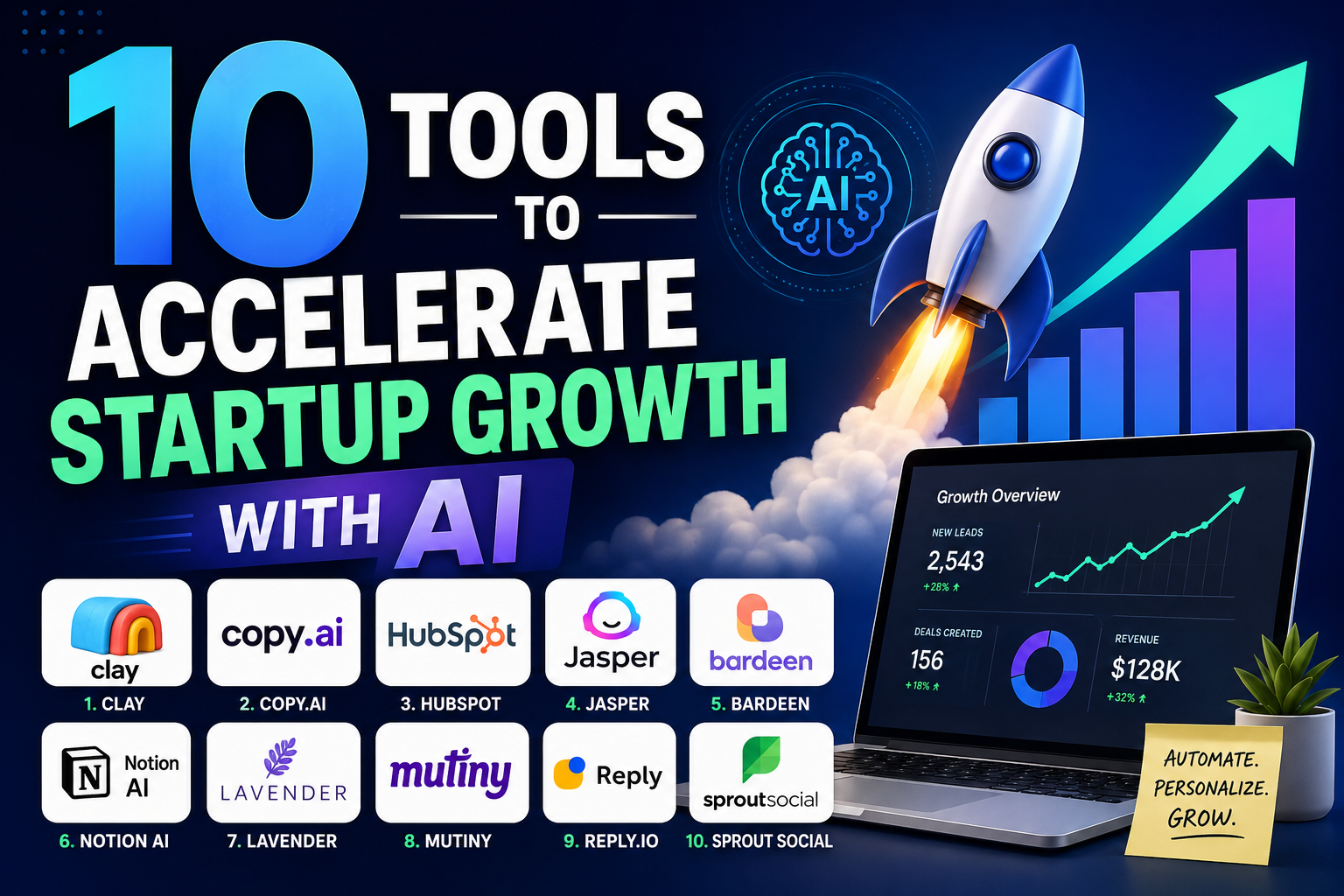
Every Startup Needs to Grow Fast, But Resources Are Limited
Growth is the single most important metric for an early-stage startup. But with a small team, tight budget, and constant pressure to deliver, you cannot afford to waste time on manual processes that scale poorly. AI-powered software tools have become essential for automating repetitive growth tasks—from lead generation to customer retention—but choosing the right ones is harder than it looks.
How We Chose These Tools
We selected these ten tools based on four criteria:
- AI-driven automation: The tool must use AI to replace or significantly speed up a manual growth task, not just add a chatbot feature.
- Proven adoption by startups: Each tool has a track record of being used by early-stage companies with lean teams.
- Clear ROI: The tool should deliver time savings or conversion improvements that are easy to measure.
- Ease of integration: Startups cannot afford month-long implementations. Every tool here can be set up in days, not weeks.
All tools are listed with their real names and current offerings. Pricing and feature details were accurate at time of writing but may change.
10 Tools to Accelerate Startup Growth with AI
1. Clay – AI-Powered Lead Enrichment and Data Agents
Clay combines lead enrichment with AI agents that research prospects and build custom data sets. Instead of manually hunting for email addresses or company details, you feed Clay a list of leads and it returns enriched profiles with buying signals, technographic data, and personalized research snippets.
Pros:
- Enriches thousands of leads per week with minimal manual effort
- AI agents can write personalized icebreakers based on prospect activity
- Integrates with common CRMs and outreach tools
Cons:
- Pricing scales with usage; heavy enrichment can get expensive
- Learning curve for building complex workflows and waterfally logic
Best for: B2B startups that need to research and personalize outreach at scale, typically series A and beyond.
2. Copy.ai – AI Content Generation for Marketing
Copy.ai generates marketing copy, blog drafts, social posts, and ad variations based on short prompts. The AI models are tuned for brand voice consistency and can produce multiple versions of the same message so you can A/B test quickly.
Pros:
- Fast output for social media, email, and landing page copy
- Supports multiple brand voices and content types in one workspace
- Free tier available for limited usage
Cons:
- Long-form content still requires heavy editing for depth and accuracy
- Not ideal for highly technical or compliance-heavy industries
Best for: Pre-seed to series A startups that need to produce marketing copy quickly with a small team.
3. HubSpot – AI for CRM and Marketing Automation
HubSpot has added AI features across its CRM, marketing hub, and sales hub. The AI handles lead scoring, predictive segmentation, content topic suggestions, and email send time optimization. It also automates follow-up sequences based on prospect behavior.
Pros:
- All-in-one platform reduces tool sprawl
- AI-driven lead scoring improves over time with more data
- Extensive integrations and marketplace
Cons:
- Costly for pre-revenue startups; paid plans start high
- Complex setup for small teams without dedicated ops support
Best for: Post-revenue startups with at least $10k monthly recurring revenue that need a unified CRM and marketing platform.
4. Jasper – Long-Form Content and Campaign Copy
Jasper specializes in generating longer content such as blog posts, whitepapers, email sequences, and ad copy. Its AI can be trained on brand guidelines and existing content to maintain consistency. The tool also includes a campaign wizard for multi-channel copy generation.
Pros:
- Strong at producing structured long-form content with minimal editing
- Campaign mode helps create cross-channel copy in one session
- Good for teams that need volume without hiring freelance writers
Cons:
- Output can feel generic without detailed prompts and iterative editing
- Monthly subscription cost may not justify itself for low-volume needs
Best for: Content-heavy startups, especially in SaaS and B2B, that publish multiple times per week.
5. Bardeen – Automation and Workflow AI
Bardeen automates repetitive browser and app tasks using AI that learns from your actions. It can scrape data, fill forms, update spreadsheets, and trigger sequences across tools like Google Sheets, LinkedIn, Slack, and Notion—all without coding.
Pros:
- No-code automation that connects dozens of everyday apps
- AI suggests automations based on your behavior patterns
- Free plan covers basic automations
Cons:
- Complex multi-step workflows can break when apps update their interfaces
- Not designed for high-volume enterprise-scale automation
Best for: Early-stage startups with less than 10 people who need to automate manual data entry and cross-app tasks.
6. Notion AI – Knowledge Management and Project Docs
Notion AI adds writing assistance, summarization, and Q&A capabilities to the popular workspace tool. It can generate meeting notes, summarize lengthy documents, suggest action items, and answer questions based on your team’s knowledge base.
Pros:
- Low cost per user compared to dedicated AI writing tools
- AI works directly inside your existing docs, wikis, and project boards
- Good for keeping institutional knowledge searchable and usable
Cons:
- Not a full CRM or marketing automation tool
- AI features require a paid add-on per user per month
Best for: Distributed startup teams that need to keep documentation alive and reduce time spent on meeting recaps.
7. Lavender – Email Personalization and Sales Coaching
Lavender analyzes your email drafts in real time and suggests improvements for personalization, length, tone, and structure. Its AI scores each email on how likely it is to get a reply and recommends specific changes before you hit send.
Pros:
- Reduces time spent rewriting cold emails
- Personalization suggestions are based on prospect research from public data
- Works as a browser extension inside Gmail and Outlook
Cons:
- Limited to email; does not handle other outreach channels
- Free tier offers limited analysis per month
Best for: B2B sales teams at startups that send high volumes of cold emails and need to improve reply rates.
8. Mutiny – Website Personalization for B2B
Mutiny uses AI to personalize website content based on visitor attributes such as industry, company size, or referral source. It segments traffic and dynamically swaps headlines, CTAs, and case studies to match each audience segment.
Pros:
- Increases conversion rates by showing relevant messaging to each visitor
- No-code personalization with pre-built templates
- Integrates with common analytics and CRM tools
Cons:
- Best results require a steady flow of traffic to train the AI
- Pricing is higher than basic A/B testing tools
Best for: B2B startups with at least a few thousand monthly website visitors and clear buyer personas.
9. Reply.io – Multi-Channel Outreach with AI Sequencing
Reply.io automates multi-channel outreach sequences across email, LinkedIn, and phone. Its AI optimizes send times, suggests follow-up intervals, and personalizes message variations based on prospect engagement. The tool also handles bounce detection and list cleaning.
Pros:
- True multi-channel sequencing from a single platform
- AI-driven A/B testing of subject lines and message copy
- Good deliverability with built-in warm-up and spam detection
Cons:
- Higher-tier plans needed for advanced AI features
- Setting up complex sequences can be time-consuming initially
Best for: Outbound-focused startups running sales development campaigns across email and LinkedIn.
10. Sprout Social – AI Social Listening and Scheduling
Sprout Social applies AI to social media management with features like automated content scheduling, sentiment analysis, trend detection, and intelligent message triage. Its AI helps prioritize which comments or messages need immediate responses based on urgency and topic.
Pros:
- AI-powered scheduling suggests optimal post times for each network
- Sentiment analysis helps track brand perception in real time
- Unified inbox for managing messages across platforms
Cons:
- Priced for teams; solo founders may find it expensive
- Advanced listening features require a premium plan
Best for: Consumer-facing startups and B2B companies that use social media as a primary marketing or support channel.
Trade-offs to Consider When Choosing AI Growth Tools
Every tool on this list has strengths, but no single solution covers everything. Here are the key trade-offs to weigh for your specific situation:
Cost versus value. HubSpot and Sprout Social deliver robust capabilities but at a price that can strain a pre-revenue startup. Tools like Copy.ai, Bardeen, and Notion AI offer free or low-cost entry points. Match the tool investment to the revenue stage you are actually in, not the one you hope to reach next quarter.
Learning curve and integration complexity. Clay and Reply.io are powerful but require upfront time to configure workflows. Bardeen is simpler but less reliable for complex sequences. Give yourself a week to test and iterate before committing to a full rollout.
Standalone versus all-in-one. A tool like HubSpot can replace several point solutions, but that convenience comes with less flexibility. Standalone tools like Lavender or Mutiny do one thing well but add integration overhead. For most early-stage startups, the standalone approach allows more surgical investment and easier replacement when needs change.
Data lock-in. Some platforms make it hard to export your data or move to another tool. Before adopting any AI-powered platform, check its data export options and API access. Your growth stack should remain yours to rearrange as you scale.
Practical Advice for Adopting AI Tools in Your Startup
Adopting AI tools effectively means starting small and measuring results before expanding. Here is a practical approach:
Start with one core problem. If your biggest bottleneck is lead generation, begin with a tool like Clay before layering on content generation or social listening. Adding three tools at once creates confusion and makes it impossible to tell which one moved the needle.
Measure before and after. Track specific metrics for two weeks before implementing the tool: lead response time, email reply rate, time spent on manual data entry, or content output per week. After two weeks with the tool, measure the same metrics again. The delta tells you whether the tool is earning its keep.
Pair AI tools with human oversight. AI-generated content and outreach sequences need human review, especially for customer-facing communications. A cold email drafted by Lavender still benefits from a human read. A blog post generated by Jasper requires fact-checking and editorial polish. The best results come from the combination of speed and judgment.
Revisit your stack quarterly. Startup needs evolve fast. A tool that made sense at five employees may be redundant at twenty. Schedule a quarterly review of your software stack and drop anything that no longer directly supports a current growth priority.
Final Recommendation
If you have a limited budget and a two-person team, start with one tool that addresses your biggest bottleneck. For sales-led startups, that is often Clay for lead enrichment or Reply.io for outreach. For content-led startups, Copy.ai or Jasper will deliver the fastest time-to-value. For teams drowning in manual admin, Bardeen or Notion AI can free up hours each week.
All ten tools on this list have been used by real startups to accelerate growth. The key is not to adopt them all at once, but to pick the one that solves the problem costing you the most time today. Test it, measure it, and only then consider adding the next layer to your stack.
Growth is a process of continuous improvement. The right AI-powered software tools can remove friction from that process, but only if you choose deliberately and implement thoughtfully.